
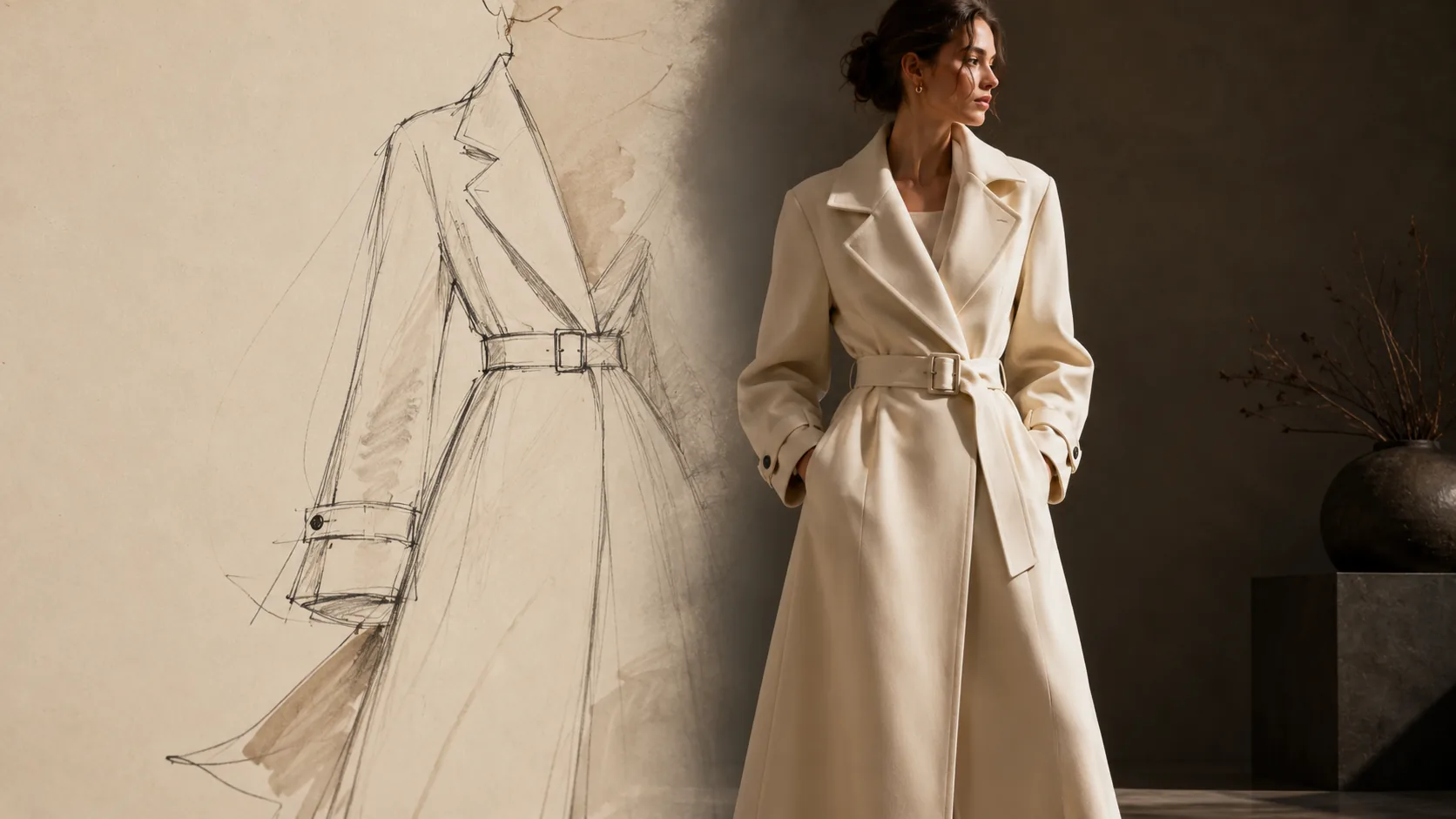
Sketch to Photo
From pencil sketch to product page.
Upload a design sketch — hand-drawn or digital — and generate a photoreal product image of the garment. Validate designs before sampling. Show buyers before the first metre of fabric is cut. Design Studio is included from House.
How it works
Sketch in. Photo out.
- 01
Upload the sketch
Any pencil, pen, or digital line drawing works. Add construction notes or fabric callouts to improve fidelity.
- 02
Set the brief
Specify the garment category, target persona, colorway, and scene. The AI reads the sketch against your brand DNA.
- 03
Get the photo
A photoreal rendering is generated in your brand's aesthetic — ready for buyer decks, line reviews, or early PDP staging.
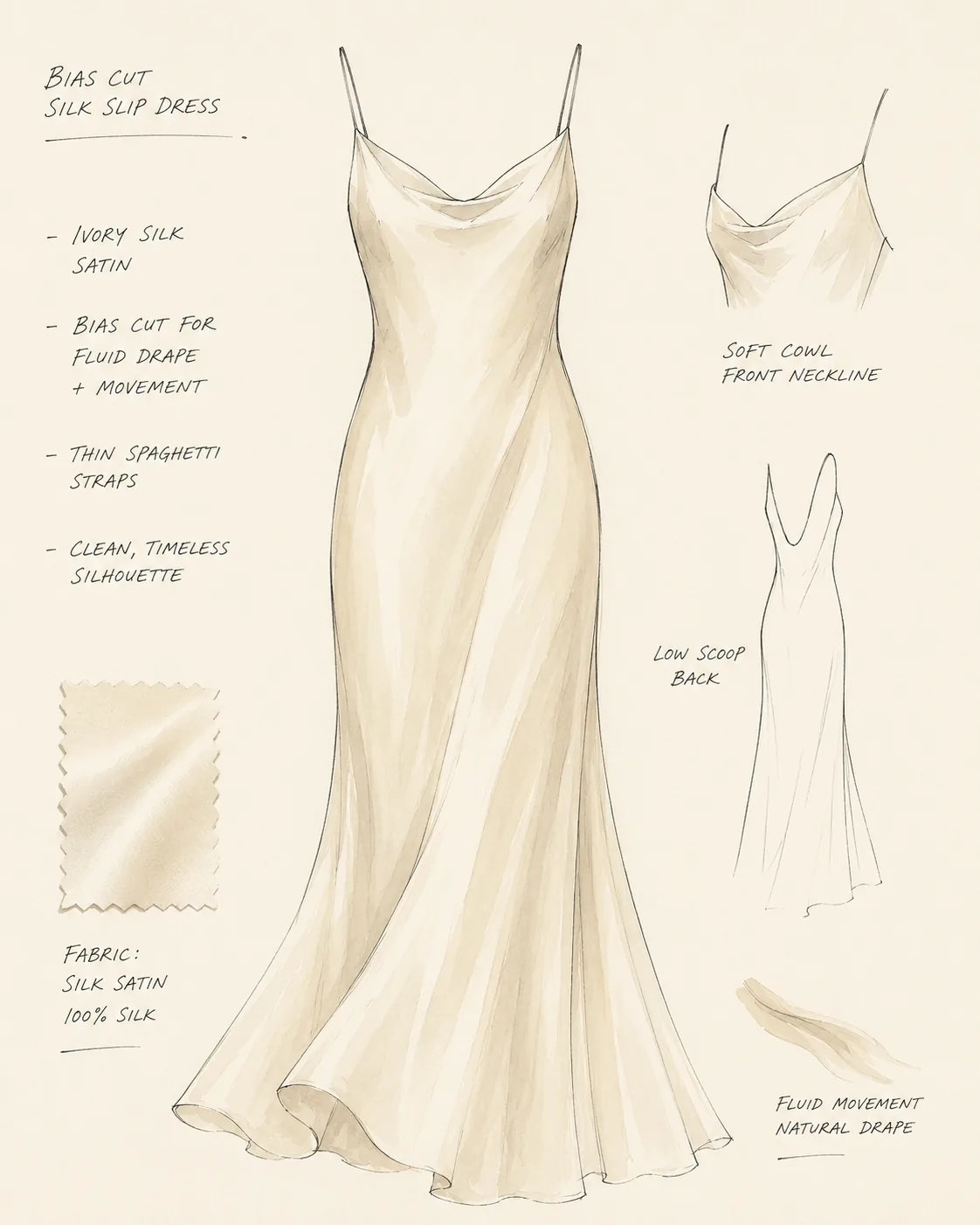
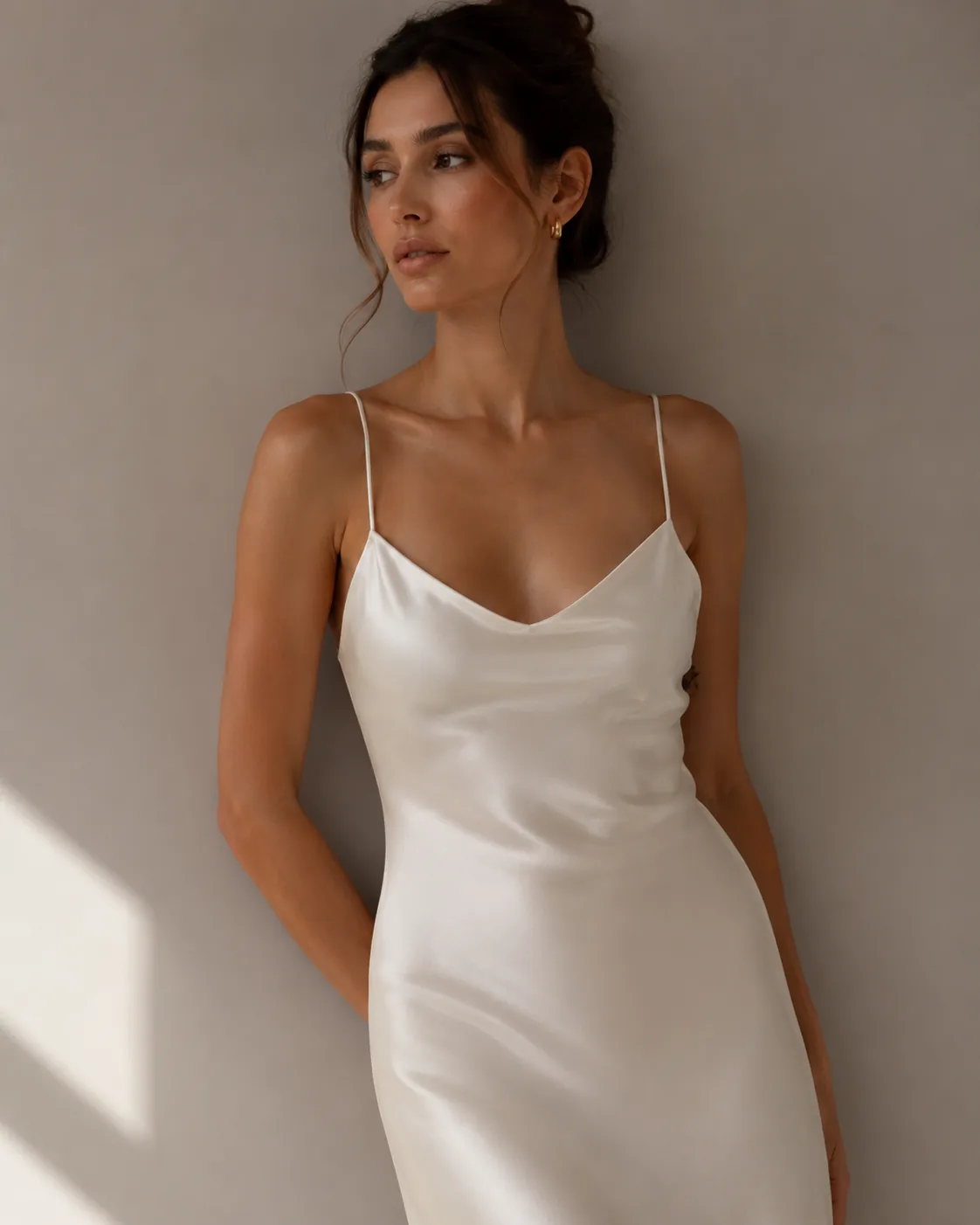
Single-piece example
From technical sketch to finished image.
A bias-cut silk slip dress — sketched, annotated, then rendered as a photoreal product shot ready for line review or early PDP staging.
Full-look example
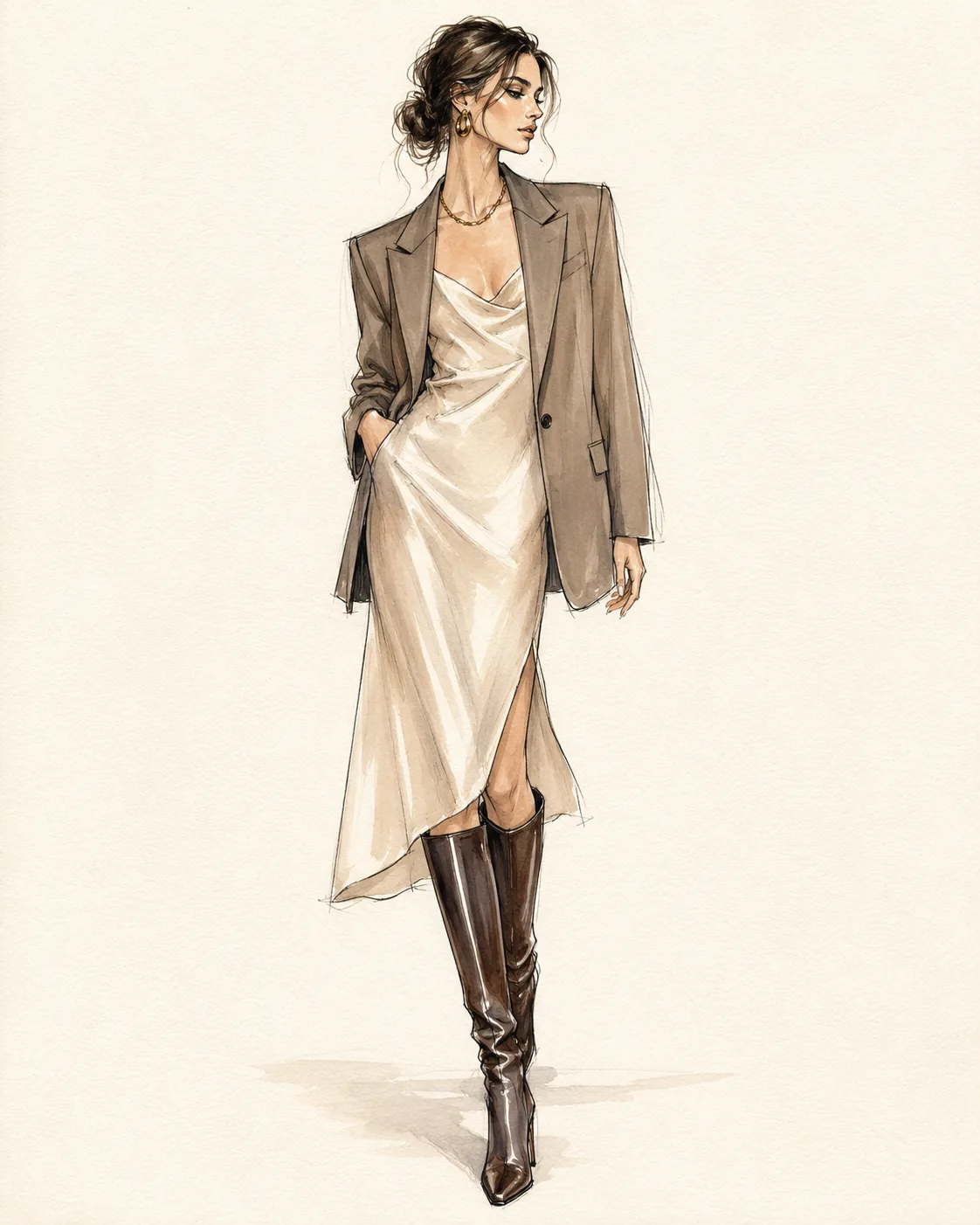
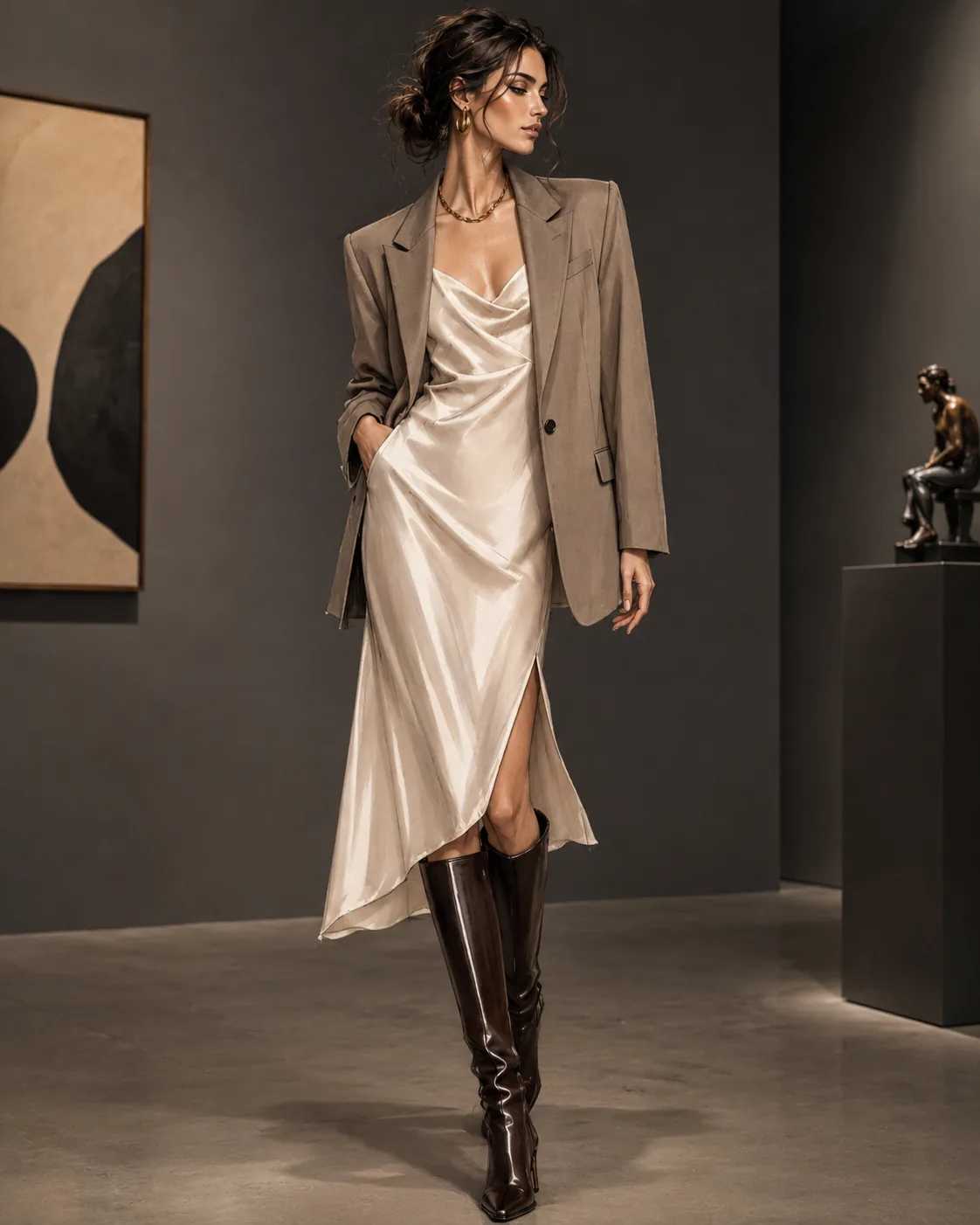
Sketch an entire outfit. Render it as one shot.
Group sketches translate as full looks — coat, dress, footwear, and accessories rendered together with consistent styling.
Use cases
Where design and production meet.
Pre-sampling validation
Show finished-looking images to buyers before spending on sampling. Compress collection review cycles from weeks to days.
Early PDP staging
Populate product pages with realistic photography the moment a design is approved — not weeks after samples arrive.
Colorway exploration
Render the same sketch in multiple colorways and fabrications without a single physical prototype.
Trend response
Design and visualise a reactive piece in hours when a trend breaks — no production gap between idea and brand-ready image.
Questions
Sketch to Photo — answered.
What file formats does Sketch to Photo accept?
JPEG, PNG, and WebP are accepted. The sketch can be hand-drawn or digital — pencil lines on paper or a clean CAD outline both work.
Can it handle footwear and accessory sketches?
Yes. Sketch to Photo supports clothing, footwear, bags, and accessories. The category is auto-detected from the sketch, or you can specify it manually.
How close is the output to the final garment?
Fidelity depends on sketch clarity. A detailed sketch with construction notes produces high-fidelity output. Loose gesture sketches produce more interpretive results — useful for early creative direction.
Can I generate the same sketch on different personas?
Yes. Run the same sketch against multiple personas to see how a piece fits different body types or casting directions without repeating the upload.